Open Invite - Calendar Invitations for iPhone
The Context
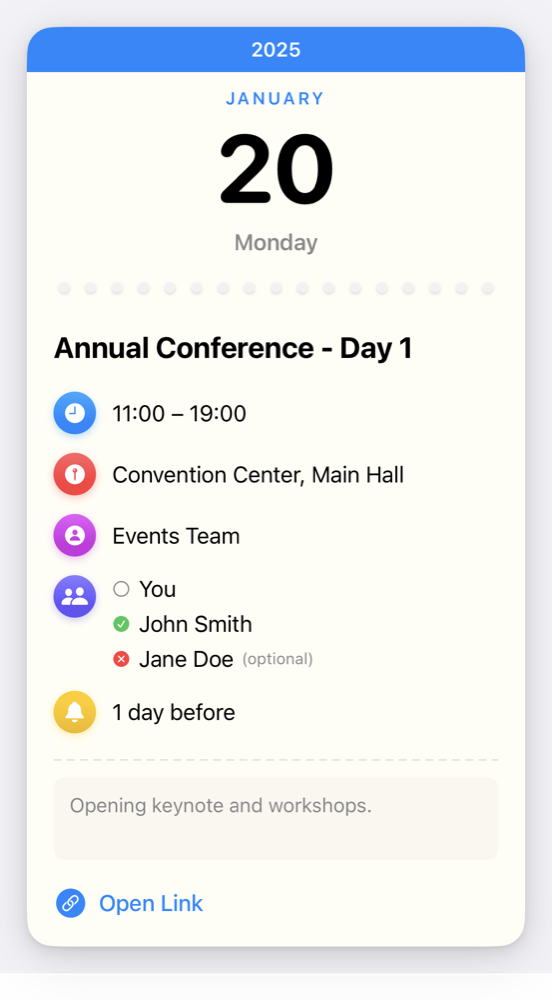
On the iPhone, you cannot add an .ics file to your calendar from the Files app. Quick Look previews the event in a very nice way, but there is no “Add to Calendar” button. You’re stuck.
The typical workarounds are opening the file in Safari with a webcal:// prefix, or mailing it to yourself like an animal.
Open Invite is a free utility that registers as a handler for .ics files, which the built-in Calendar arguably should’ve done ages ago. Open a file from Files, Mail, or Safari, check the event, and add it to a calendar of your choice. It is a sibling to Calendar Paste, which fills the calendar from templates, because copy-paste is still not a thing on iOS calendars; this one fills the calendar from other people’s invitations.
This makes sharing calendar invitations via Messages and email and chat nicer, too!
Technical Challenges
Parsing Invitations
I thought: how hard can it be to implement the really elaborate iCal specification?
Ahaha.
- A separate parser library turns
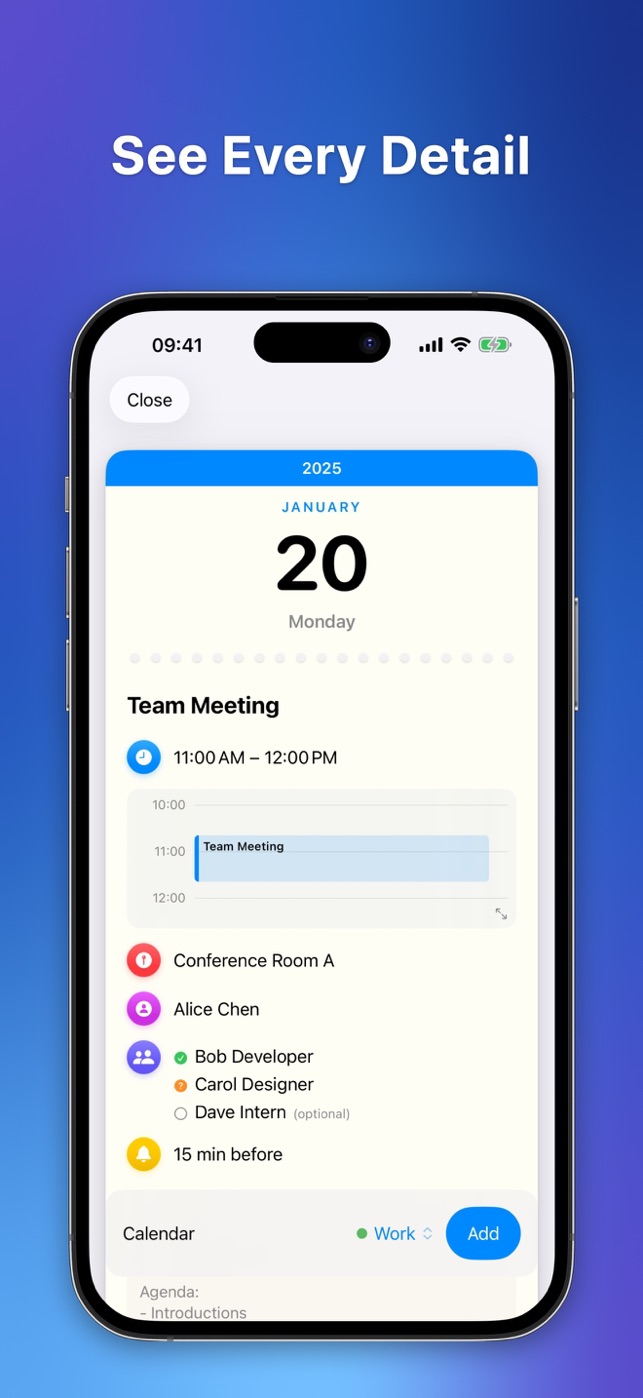
.icsdata into a portable event model, on top ofswift-icalendar - All-day versus timed events, organizers, attendees, URLs, and alarms are supported. Turns out you can nest entities in the iCal ontology in very gnarly and interesting ways.
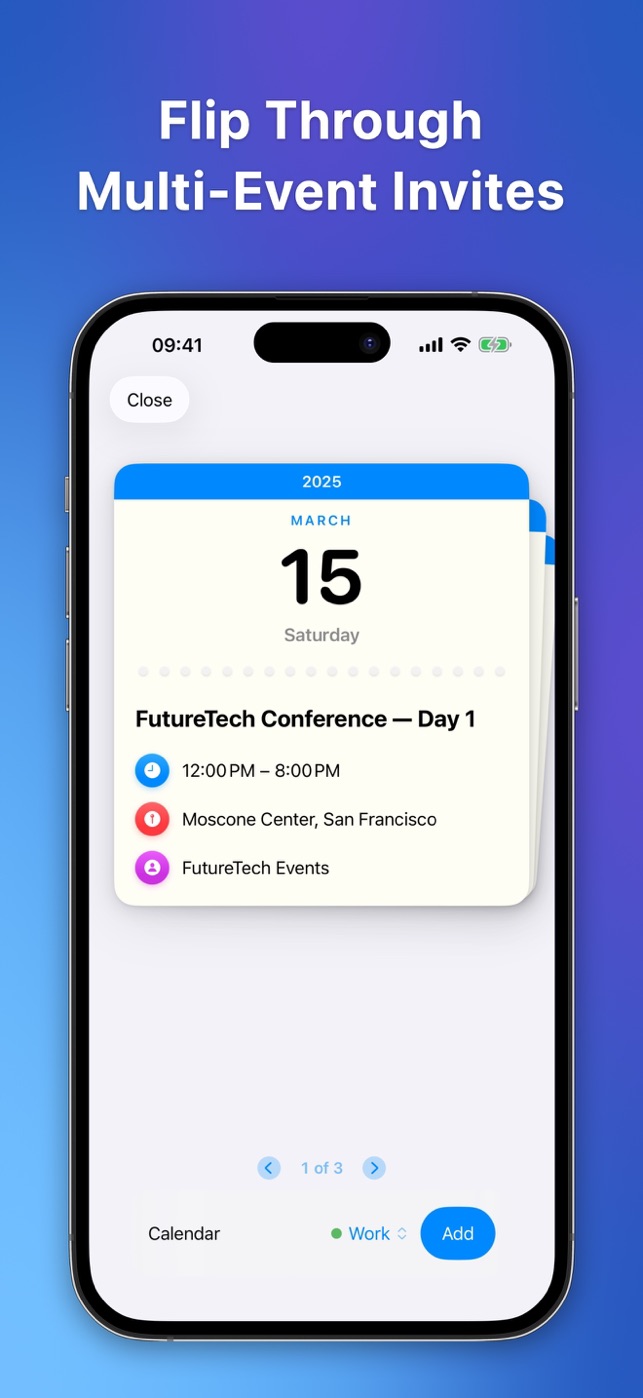
- Files with multiple events show as a list to step through; accept one, some, or all
UX: Progressive Calendar Access
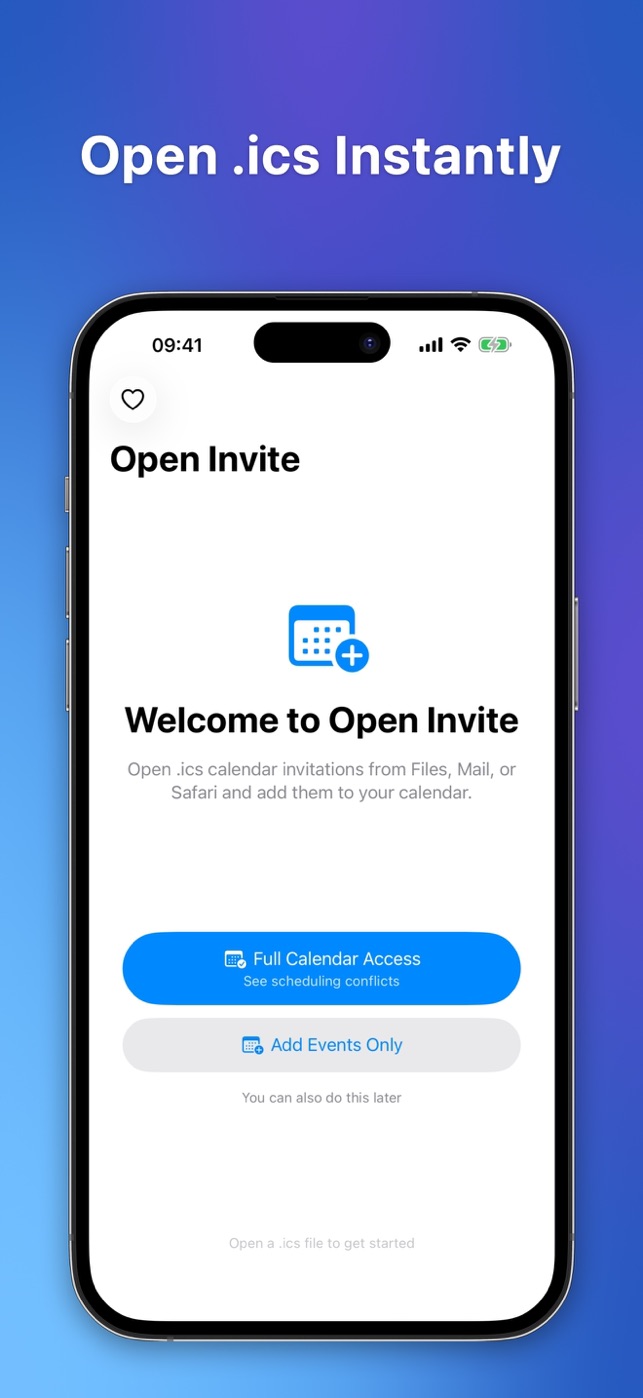
Don’t be greedy, and don’t be annoying. That’s a tough line with modern iOS to straddle. So contextual privilege prompts were the solution.
- iOS 17 lets apps ask for write-only calendar access, so that is the default: add an event, see nothing else
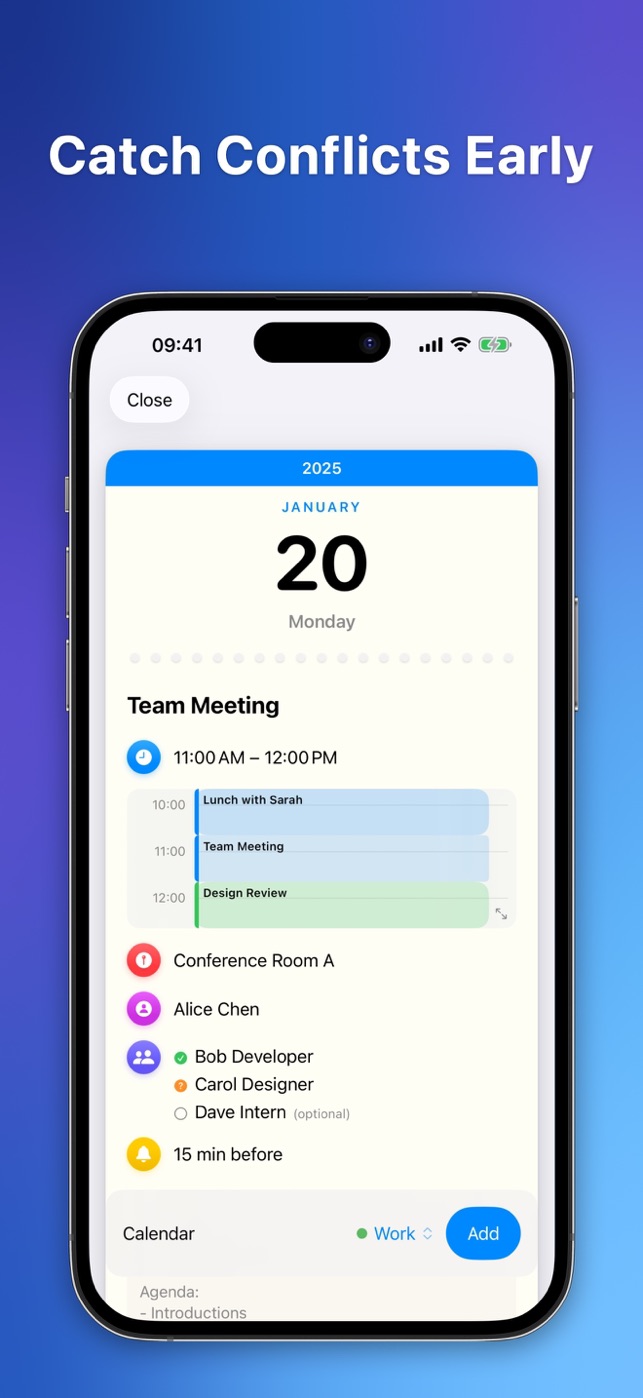
- Full access is opt-in, and only then does the app show a calendar picker and a timeline of events that conflict with the invitation
- Checking for conflicts is the main reason to preview an invitation at all, so the timeline sits right on the card
Platform Limits
- The alert you pick in the Quick Look preview is not handed to third-party apps; only alarms embedded in the file survive
- After adding, the app opens the Calendar app at the event’s date, so you see it landed
Components Built and Shared
I built two parts of the app as standalone Swift packages and published them:
swift-icalendarimplements RFC 5545, the iCalendar format. It comes withics-lint, a command-line tool that validates.icsfiles against the spec, with JSON output for CI.timeline-uiis a SwiftUI component that shows a day’s events on an hour grid, like Calendar.app does, and lays out overlapping events side by side. It draws the conflict timeline on the invitation card.
Personal Reflections
I wanted to add some fun and whimsy to iOS but maybe this kind of abstracted skeuomorphism isn’t it. The invitation card, with its tear-off calendar page, makes the preview feel like receiving something rather than inspecting a file I had hoped. I’m not sure whether this metaphor landed.
The app icon, an invitation with a star rising out of its envelope, is by Miral Gosai. Loved that cooperation, especially because I’m an absolute newbie with the new Liquid Glass icon composer format.
Impact
No ads, no subscriptions, no locked features. An optional tip jar shows up only after you have added a couple of events. This is not a money maker.
One happy user reached out within the first month though, so it seems to be reaching people!